Step 1: First download or deploy the cline-dify project from GitHub cline-dify https://github.com/lininn/cline-dify
After downloading and installing, open and run the project.
Usage: modify .env.example, update the configuration DIFY_API_URL to your dify API address, default is https://dify.d-1.top/v1, change to your own dify address
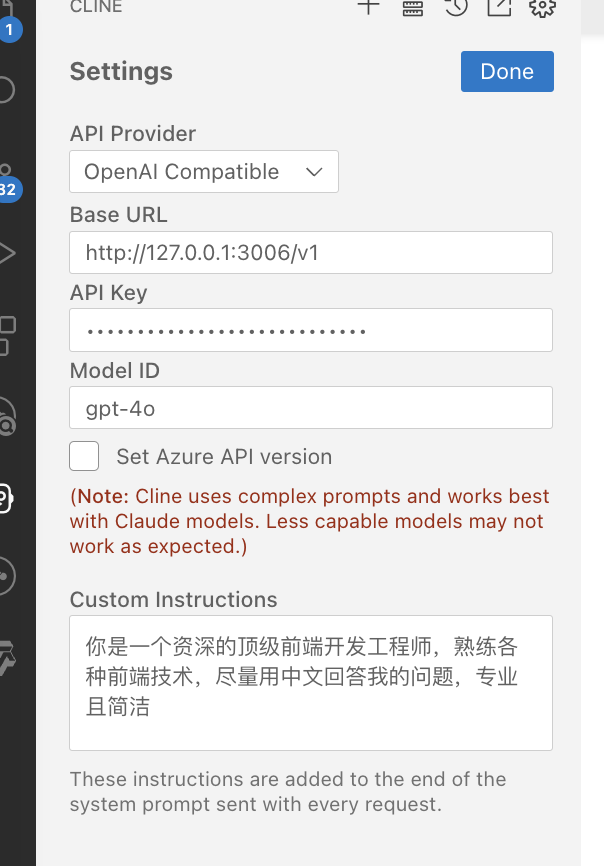
After configuration, run pnpm i && pnpm run start
Then in cline, select OpenAi Compatible in api Provider, set baseurl to http://127.0.0.1:3005/v1, modelId can be any value, set API key to your dify API key. After configuration, you can start asking questions in cline.
暂无评论。