Node.js's Cluster multi-process mode.
PM2's implementation is based on the encapsulation of the Cluster mode.
Node.js runs in a single-threaded manner, so it cannot maximize performance on multi-core processor systems.
Node.js's cluster module
Fortunately, Node.js provides us with the cluster module, which can spawn multiple worker threads to share the same TCP connection.
How does it work?
First, Cluster creates a master, and then replicates multiple server apps (also called worker threads) based on the number you specify. It communicates with the worker threads via the IPC channel and uses built-in load balancing to better handle the pressure between threads. This load balancing uses the Round-robin algorithm (also known as the cyclic algorithm).
When using the Round-robin scheduling strategy, the master accepts() all incoming connection requests and then sends the corresponding TCP request processing to the selected worker thread (this method still communicates via IPC).
So how to use it?
Below is a basic example:
var cluster = require('cluster');
var http    = require('http');
var os      = require('os');

var numCPUs = os.cpus().length;
if (cluster.isMaster) {
  // Master:
  // Let's fork as many workers as you have CPU cores
  for (var i = 0; i < numCPUs; ++i) {
    cluster.fork();
  }
} else {
  // Worker:
  // Let's spawn a HTTP server
  // (Workers can share any TCP connection.
  //  In this case its a HTTP server)
  http.createServer(function(req, res) {
    res.writeHead(200);
    res.end("hello world");
  }).listen(8080);
}
Of course, you can specify any number of worker threads, not limited to the number of CPU cores, because they are just sub-threads running on a CPU.
As you can see, to make it work properly, you need to wrap your code in the cluster processing logic and add some extra code to specify how to handle when a thread crashes.
Using PM2
Built-in cluster
PM2 internally contains all the above processing logic, so you don't need to make any changes to your code. Let's revert the above code to its simplest form:
var http = require('http');

http.createServer(function(req, res) {
  res.writeHead(200);
  res.end("hello world");
}).listen(8080);
Then execute in the console:
$ pm2 start app.js -i 4
The -i <number of workers> parameter tells PM2 to run your app in cluster_mode (as opposed to fork_mode), and the following number indicates the number of worker threads to start. If the number is 0, PM2 will generate worker threads based on the number of CPU cores.
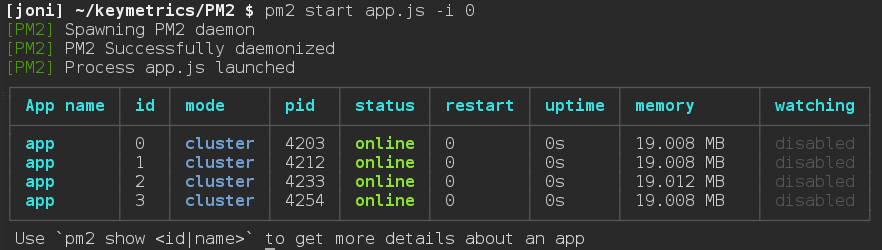
Keep your apps running at all times
If any worker thread crashes, don't worry, PM2 will restart it immediately. Of course, you can also manually restart these threads at any time:
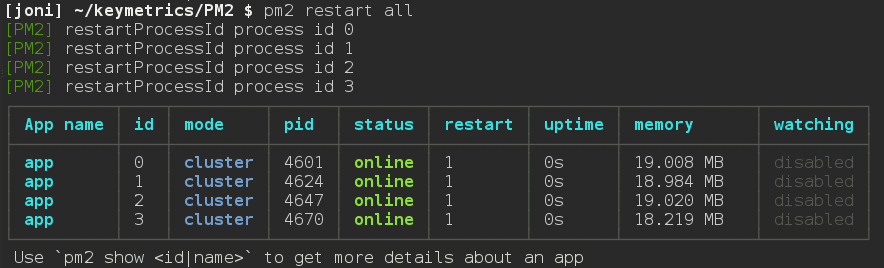
Real-time scaling of clusters
At any time, if you need to increase the number of worker threads, you can scale the cluster using pm2 scale <app name> <n>. The parameter <n> specifies the number of worker threads, which is used to increase or decrease the cluster size. You can also specify how many worker threads to add using pm2 scale app +3.
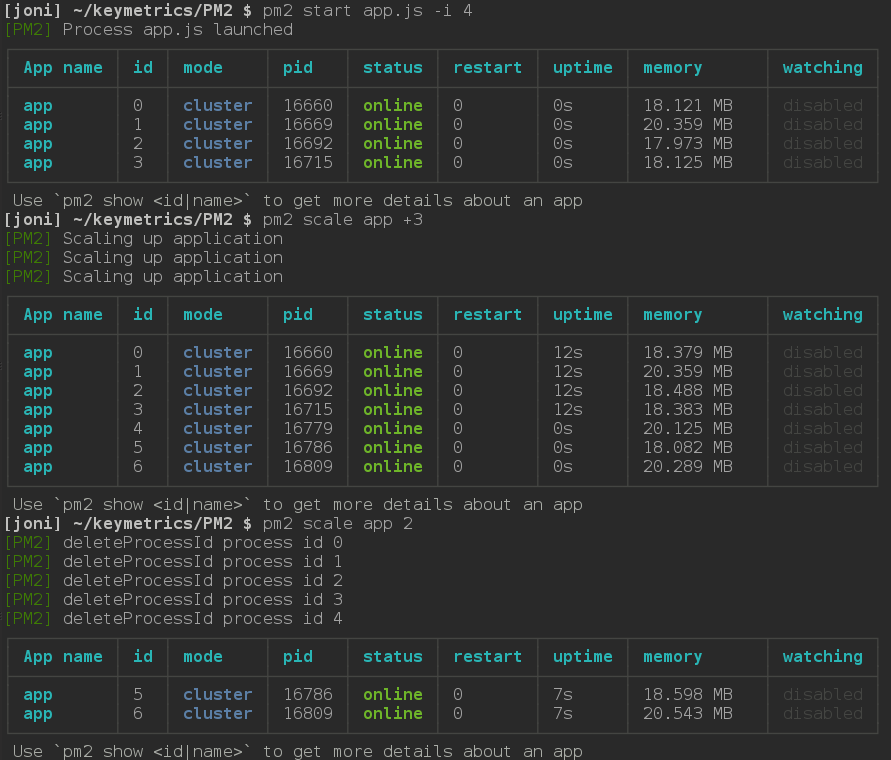
Zero-downtime updates in production
PM2's reload <app name> function will restart all worker threads sequentially. Each thread waits until a new thread is created before being terminated, so when you deploy new code in a production environment, the server stays running without interruption.
Using the gracefulReload function achieves the same goal, but instead of immediately terminating the worker thread, it sends a shutdown signal via IPC to close all current connections and handle some custom tasks before gracefully exiting. As shown in the code below:
process.on('message', function(msg) {
  if (msg === 'shutdown') {
    close_all_connections();
    delete_cache();
    server.close();
    process.exit(0);
  }
});
Configure PM2 to start automatically
To have PM2 automatically run previously saved applications after a server restart, first start your app using pm2 start, then execute the following command:
pm2 save
This will generate a file named dump.pm2 in the ~/.pm2 directory, which describes all applications currently running on PM2. Then execute the command:
pm2 startup [platform]
Note that it is necessary to add the optional parameter platform to explicitly inform PM2 of the current system environment. In this way, the next time the server restarts, PM2 will automatically run the previously saved applications.
Conclusion
The Cluster module is very powerful, and using PM2 makes it even easier. In the Node 0.10.x era, cluster.js was still an experiment, but it has gradually matured and started to be officially released from Node 0.11.x, including Node 0.12.x. It is highly recommended to use the latest versions of Node.js and PM2, as the contributors to these products have been working hard to make them better.
暂无评论。